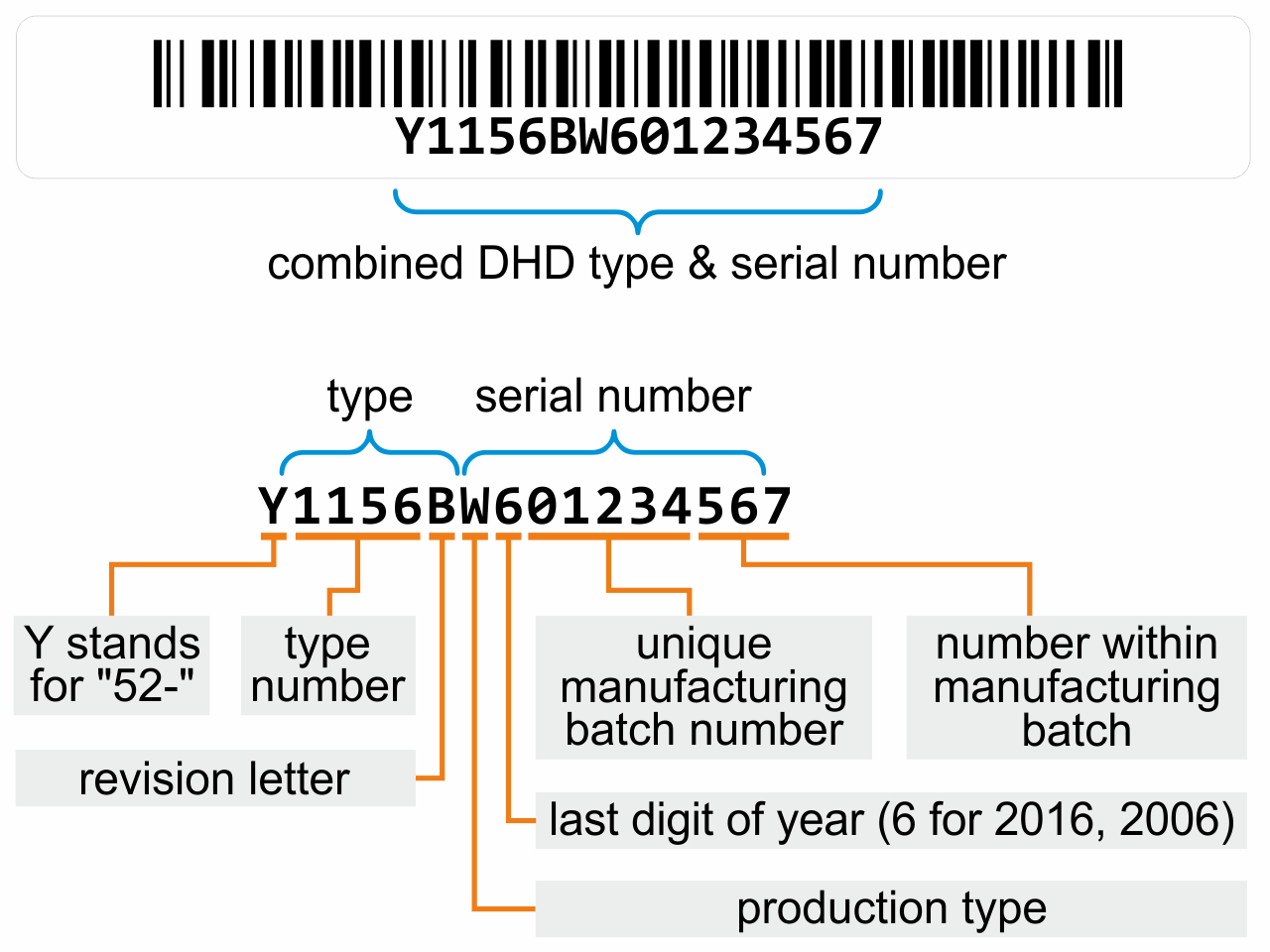
All DHD devices are labelled with a combined identifier that contains both the device type and its unique serial number. This identifier is printed as a barcode and as readable text.
Using the example Y1156BW601234567, the identifier breaks down into two main parts:
Type (Y1156B) identifies the device:
Y — Stands for “52-“, indicating a Series 52 device.
1156 — The type number, corresponding to a specific device model.
B — The revision letter, indicating the hardware revision of the device.
Serial number (W601234567) uniquely identifies the individual unit:
W — Production type.
6 — Last digit of the production year. This could refer to 2006, 2016 or 2026.
01234 — Unique manufacturing batch number.
567 — The unit’s number within that manufacturing batch.
The serial number is required when contacting DHD support, requesting RMA service or ordering replacement parts. It can be found on the device label of every DHD product.
Was this answer helpful?
Thank you for your feedback!
You have already rated this answer.
Manage Cookie Consent
We use cookies to optimise our website and our service.
Functional
Always active
The technical storage or access is strictly necessary for the legitimate purpose of enabling the use of a specific service explicitly requested by the subscriber or user, or for the sole purpose of carrying out the transmission of a communication over an electronic communications network.
Preferences
The technical storage or access is necessary for the legitimate purpose of storing preferences that are not requested by the subscriber or user.
Statistics
The technical storage or access that is used exclusively for statistical purposes.The technical storage or access that is used exclusively for anonymous statistical purposes. Without a subpoena, voluntary compliance on the part of your Internet Service Provider, or additional records from a third party, information stored or retrieved for this purpose alone cannot usually be used to identify you.
Marketing
The technical storage or access is required to create user profiles to send advertising, or to track the user on a website or across several websites for similar marketing purposes.